
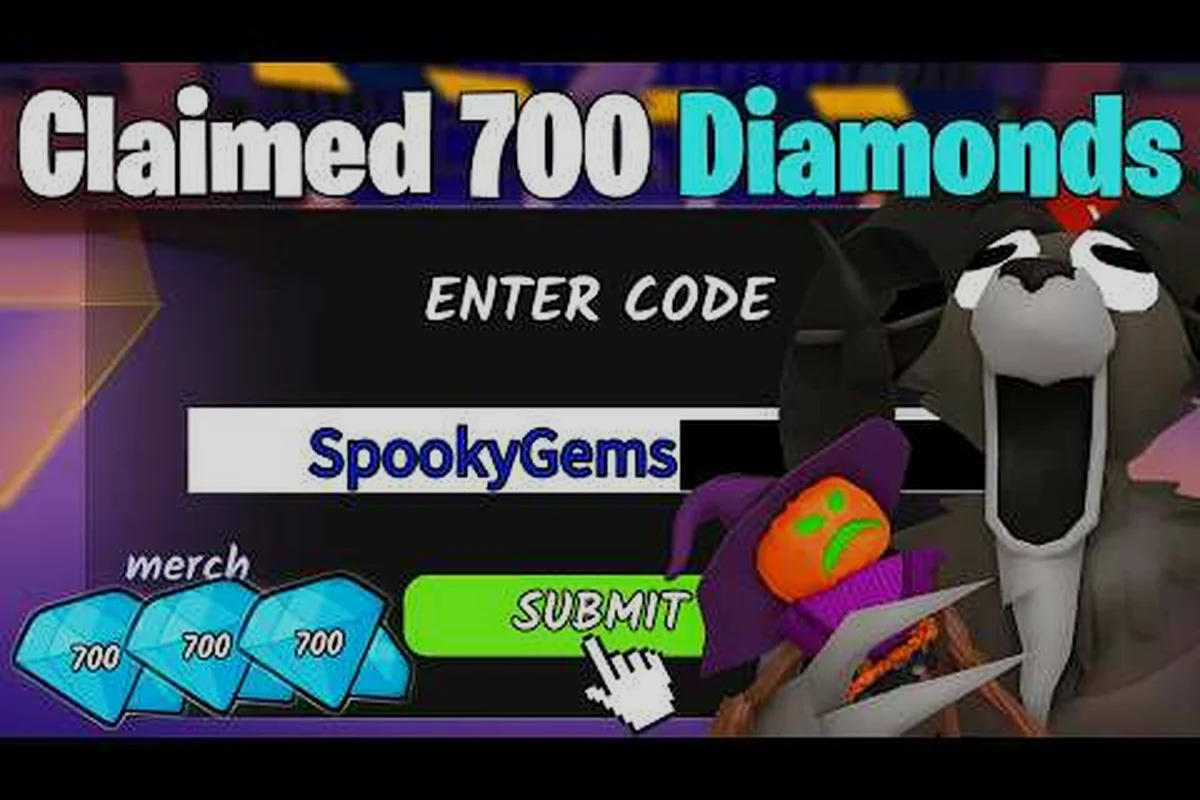
Redeeming a 99 Nights in the Forest redeem code takes less than a minute, but plenty of players still lose free gems to a mistyped character or a hidden menu step. This guide walks through the exact redemption flow, the special chat-based code that breaks the normal pattern, and the most common fixes when a code silently fails. You will also see which active codes are worth claiming right now and how event-specific rewards differ from standard drops.
Understanding the 99 Nights in the Forest Code Redemption System
The redemption system in 99 Nights in the Forest splits into two distinct paths, and knowing which path a code uses is the single biggest factor in whether you actually receive your reward. Most codes follow the standard in-game menu flow, but at least one active code requires typing directly into the Roblox chat, which trips up players who assume every code works the same way. According to the official Roblox page for 99 Nights in the Forest, the experience launched in March 2025 and has since accumulated over 29.99 billion visits, which means the code system has been tested by an enormous player base.
The standard redemption menu sits behind a few taps, and the interface does not always make it obvious when a code has been accepted. You will typically see a small confirmation message appear near the bottom of the screen, but if you tap through too quickly, the reward can land in your inventory without any visual fanfare. Gems are the primary currency awarded through codes, though some codes also grant random flames, which are a separate progression resource tied to camp upgrades and survival mechanics.
Community reports consistently highlight one structural quirk: the game does not show a public error message for every failed redemption. Some codes simply do nothing when entered incorrectly, which leads players to believe the code is expired when the real issue is a trailing space or a case-sensitivity mismatch. Because the game does not normalize input aggressively, you need to type codes exactly as they appear in official announcements.
The table below summarizes the two redemption paths and what to expect from each, but the practical difference is sharper than the rows suggest: a standard menu code can be redeemed in under five seconds from the main lobby, while a chat-based code forces you to leave the codes menu entirely and type into the Roblox chat box, where the game's auto-moderation occasionally intercepts messages containing hyphens or repeated characters. This is why some players report a chat code "disappearing" without an error — the message never reached the game's redemption handler in the first place. Event codes add a third wrinkle, since they are distributed through limited-time announcements or partner giveaways and expire on a fixed date, meaning the same code that worked for one player during a Halloween event may silently fail for another player who tries it after the event window closes.
| Redemption Path | Where to Enter | Typical Reward | Common Failure Point |
|---|---|---|---|
| Standard menu code | In-game codes menu | Gems, flames | Trailing space or wrong case |
| Chat-based code | Roblox chat box | Gems | Players look in the wrong menu |
| Event code | In-game codes menu | Event currency or cosmetic | Expired before claim |
The split between menu codes and chat codes is unusual for a Roblox survival game, and it is the reason a 99 Nights in the Forest code redemption guide needs to cover both flows rather than assuming a single universal method. Once you understand which code type you are holding, the actual redemption takes only a few seconds.
Using the Redeem Menu to Claim Rewards
The standard redemption flow is straightforward, but skipping a step or tapping the wrong button can leave you staring at an empty reward screen. Follow the sequence below exactly, and keep the code string visible on a second device or written down so you can copy it without introducing a typo.
Standard Menu Redemption Steps
-
Launch 99 Nights in the Forest from the Roblox app or website and wait for the camp area to fully load.
-
Look for the codes button on the main screen, usually represented by a gift icon or a text label near the edge of the UI.
-
Tap the codes button to open the redemption window, then click or tap inside the text field.
-
Type the code exactly as published, including any numbers and underscores, without adding spaces before or after the string.
-
Press the confirm or redeem button and wait for the on-screen confirmation.
-
Check your gem total in the top corner of the screen to verify the reward landed.
The most common mistake in this flow is pasting a code that includes an invisible trailing space, especially on mobile where copy-paste behavior varies by keyboard app. If the confirmation does not appear within a few seconds, clear the field and retype the code manually rather than pasting it again.
The Chat-Based Exception: Yay Fishing
One active code, yay fishing, does not use the standard menu at all. Instead, you open the Roblox chat while inside the experience and type the phrase directly into the chat box. The reward is small, just 2 gems, but it is a useful test case for understanding how the developer occasionally hides codes outside the expected interface. Because this code bypasses the normal redemption window, players who only check the menu will never see it, and many assume the code is broken when it actually works fine through chat.
The table below compares the standard flow against the chat-based exception so you can quickly identify which method a given code requires. The key difference is confirmation style: standard codes like yay fishing entered through the codes menu trigger an on-screen text popup and an immediate gem counter increase, whereas the chat route produces either a silent chat reply or no visible confirmation at all — the 2 gems simply appear in your balance. This distinction matters because players troubleshooting a 99 nights in the forest redeem code that seems to fail often overlook the chat-only path, assume the code is expired or broken, and waste time re-entering it in the wrong interface.
| Code Type | Entry Location | Confirmation Style | Reward Visibility |
|---|---|---|---|
| Standard code | Codes menu | On-screen text | Immediate gem increase |
| Chat code | Roblox chat | Chat reply or silent | Gems added quietly |
| Event code | Codes menu | Event-specific banner | Event currency or item |
If you are unsure which method a new code uses, check the official announcement or a trusted code tracker. The PC Gamer code roundup for 99 Nights in the Forest keeps an updated list of active codes and notes when a code requires the chat method, which saves you from guessing.
Active Codes and What They Actually Reward
Knowing the current active codes is only half the picture; understanding what each reward does for your progression matters more. Gems are the flexible currency used for camp upgrades and survival tools, while random flames feed into a separate system that affects how long you can hold out during the night phases. A code that grants 15 gems is more valuable early on than a code that grants 2 gems, but the chat-based code is still worth claiming because it costs nothing and takes seconds.
The table below lists the active codes reported as of October 2026, along with their rewards and any special redemption notes. Because redemption methods differ between the standard menu and the Roblox chat input, a code's listed method is not a suggestion — it is the only place the game will accept it. Players who paste forestwakesup26 into the chat instead of the menu will see no confirmation and may assume the code is expired, when the real issue is the wrong entry point. The notes column flags this distinction explicitly, since the yay fishing code is the only one in the current rotation that uses the chat method, and it has tripped up enough players that the community now treats the method column as the first thing to check before typing anything.
| Code | Reward | Redemption Method | Notes |
|---|---|---|---|
| forestwakesup26 | 15 gems, 3 random flames | Standard menu | High value, claim first |
| afterparty | 15 gems | Standard menu | Straight gem drop |
| yay fishing | 2 gems | Roblox chat | Type in chat, not menu |
The forestwakesup26 code stands out because it grants both gems and flames in a single redemption, making it the best single code to claim if you only have time for one. The afterparty code is a clean 15-gem drop with no extra steps, ideal for players who want a quick currency boost without dealing with the chat method.
Event codes behave differently from standard codes because they are tied to a limited window and often grant themed rewards instead of raw currency. A Halloween event code, for example, might drop a cosmetic or a temporary survival buff rather than gems, and it will expire when the event ends. The Halloween update guide covers the seasonal content that often accompanies these limited codes, so you can plan your claims around the event calendar.
Why Some 99 Nights in the Forest Codes Are Not Working
A code that refuses to work usually fails for one of five reasons, and most of them are fixable without waiting for a patch. The first thing to check is whether you are entering the code in the correct location, because the chat-based yay fishing code will never work in the standard menu, and standard codes will never work in chat. This single mismatch accounts for a large share of "codes not working" reports in community threads.
The second common cause is a typo or invisible character. Codes like forestwakesup26 include both letters and numbers, and a single swapped character is enough to make the redemption fail silently. On mobile, autocorrect can also alter the code as you type, so disable autocorrect for the redemption field or type slowly and verify each character.
The third cause is expiration. Codes do not last forever, and event codes in particular have short windows. A Halloween code from a previous year will not work in 2026, even if it still appears in an outdated list. Always check the publication date on any code list you consult, and prefer sources that update weekly.
The fourth cause is region or platform restrictions, which are rare but occasionally reported. Some codes are distributed through specific regional promotions or platform partnerships, and they may not redeem on every account. If a code works for a friend but not for you, this is worth considering.
The fifth cause is server lag or a delayed reward. In rare cases, the confirmation appears but the gems take a minute to show up in your total. Wait a short time and rejoin the experience before assuming the code failed.
The table below condenses each failure cause into a symptom-to-fix pair so you can diagnose the problem in seconds instead of retyping the same 99 nights in the forest redeem code over and over. Note that the "silent failure" symptom in row two is the most deceptive: the game gives no error toast for a mistyped forestwakesup26, so players often assume the code is expired when the real issue is a swapped digit or a trailing space copied from Discord. The "no response in menu" symptom in row one is equally easy to misread, because chat-based yay fishing codes produce zero feedback outside the chat bar, which is why the fastest fix column starts with location rather than re-entry. Use the table left-to-right — match the symptom first, then apply only that row's fix, since applying the wrong fix (like rejoining for a typo) wastes a redemption attempt and delays the actual solution.
| Failure Cause | Symptom | Fastest Fix |
|---|---|---|
| Wrong entry location | No response in menu | Try chat for chat codes |
| Typo or hidden space | Silent failure | Retype manually, no paste |
| Expired code | No response, old source | Check a current list |
| Region restriction | Works for others, not you | Try alternate account region |
| Server delay | Confirmation but no gems | Rejoin and recheck |
If none of these fixes work, the code may have been pulled early by the developer, which happens occasionally when a code is distributed with an error or exploited. In that case, the only option is to wait for a replacement code in the next update cycle.
Event Codes: Halloween, Christmas, and New Update Drops
Event codes follow a different rhythm than standard codes, and timing your claims around the event calendar is the best way to maximize free rewards. Halloween codes typically drop in mid-to-late October and expire within a few weeks, while Christmas codes arrive in December and often include a larger gem payout or a unique cosmetic tied to the winter theme. Because these codes are time-limited, they are the ones most likely to appear in outdated lists after the event ends.
The developer, Grandma's Favourite Games, tends to release codes alongside major updates rather than on a fixed weekly schedule. This means a new update code can appear at any time, often announced through the game's official channels or community trackers. Checking for new codes after every update is a reliable habit, and the full codes list for 2026 keeps the active and expired codes separated so you do not waste time on dead strings.
The table below compares the typical reward profiles for different code categories. Standard update codes lean toward smaller gem payouts but compensate with longer availability windows, meaning you can bank them for weeks after a patch drops. Event codes invert that trade-off: the Halloween and Christmas strings usually expire within two to four weeks, so the reward density per claim window is higher despite the narrower redemption period. Chat-based codes sit at the bottom of the gem curve, but their irregular release pattern makes them worth grabbing whenever a tracker flags them, since there is no predictable event calendar to fall back on.
| Code Category | Typical Reward | Availability Window | Best Time to Claim |
|---|---|---|---|
| Standard update code | 10-20 gems | Weeks to months | Immediately |
| Halloween event code | Cosmetic or small gems | 2-4 weeks | During event |
| Christmas event code | Larger gem drop or cosmetic | 2-4 weeks | During event |
| Chat-based code | 2-5 gems | Variable | Whenever available |
Event codes sometimes require you to complete a small in-game task before the code activates, though this is less common in 99 Nights in the Forest than in some other Roblox experiences. If an event code does not work on the first try, check whether the event has actually started in your region, because timezone differences can cause a code to appear valid but not yet active.
Maximizing Gem Value From Redeemed Codes
Claiming a code is only the first step; spending the gems wisely determines whether the free reward actually helps your survival runs. Gems in 99 Nights in the Forest are used for camp upgrades, tools, and survival resources, and a 15-gem drop can fund a meaningful early upgrade if you spend it in the right place. The gem farming guide breaks down the most efficient ways to earn and spend gems, which pairs well with the free gems you get from codes.
The best approach is to claim every active code as soon as you see it, then bank the gems until you understand which upgrades provide the most value for your playstyle. Early camp defense upgrades tend to pay off faster than cosmetic purchases, especially if you are still learning the night-phase survival mechanics. Flames from codes like forestwakesup26 are harder to farm than gems, so treat them as a bonus rather than a primary resource.
A practical routine looks like this: start by opening the in-game menu and copying each 99 nights in the forest redeem code exactly as listed, since a single mistyped character triggers the "codes not working" error that wastes more time than the claim itself. Next, redeem the standard menu codes first, then switch to the chat channel for the separate chat-based code, because the two redemption paths use different input fields and some players lose track of which one they have already submitted. After each claim, check your gem and Flame totals before moving on — event codes tied to halloween codes or christmas codes windows can expire mid-session, so verifying immediately prevents a silent miss.
-
Check a current code list once per week or after every update.
-
Claim standard menu codes first, then handle the chat-based code separately.
-
Verify each reward landed before moving to the next code.
-
Spend gems on survival-critical upgrades before cosmetics.
-
Note the expiration window for event codes so you do not miss them.
This routine takes less than five minutes per week and ensures you never leave free currency on the table. Because codes are the fastest source of gems outside of active farming, they are worth the small time investment even if the individual payouts look modest.
Frequently Asked Questions
How do I redeem a 99 Nights in the Forest code?
Open the codes menu from the main screen, type the code exactly as published, and press confirm. For the yay fishing code, type the phrase directly into Roblox chat instead of the menu. Check your gem total afterward to confirm the reward landed.
Why is my 99 Nights in the Forest code not working?
The most common reasons are entering the code in the wrong location, a typo or hidden trailing space, or an expired code. Retype the code manually without pasting, verify you are using the correct entry method, and check a current code list to confirm the code is still active.
What is the yay fishing code in 99 Nights in the Forest?
The yay fishing code is a chat-based code that grants 2 gems when you type the phrase into Roblox chat inside the experience. It does not work in the standard codes menu, which is why many players think it is broken when it actually functions correctly through chat.
Do 99 Nights in the Forest codes expire?
Yes, codes expire, and event codes have the shortest windows. Halloween and Christmas codes typically last only a few weeks, while standard update codes can remain active for months. Always check a recently updated list before assuming a code is still valid.
When do new 99 Nights in the Forest codes come out?
New codes usually appear alongside major updates or seasonal events rather than on a fixed schedule. Halloween codes drop in October, Christmas codes in December, and update codes can arrive at any time. Checking weekly is the most reliable way to catch them.